
For many students at Maharshi Dayanand University (MDU), Rohtak, the journey toward a degree occasionally hits a small speed bump—the reappear exam. Whether it was a tough subject, a missed paper due to health, or simply a bad day in the exam hall, needing to fill out a reappear form is a common part of university life.
Understanding the MDU Re-appear Process
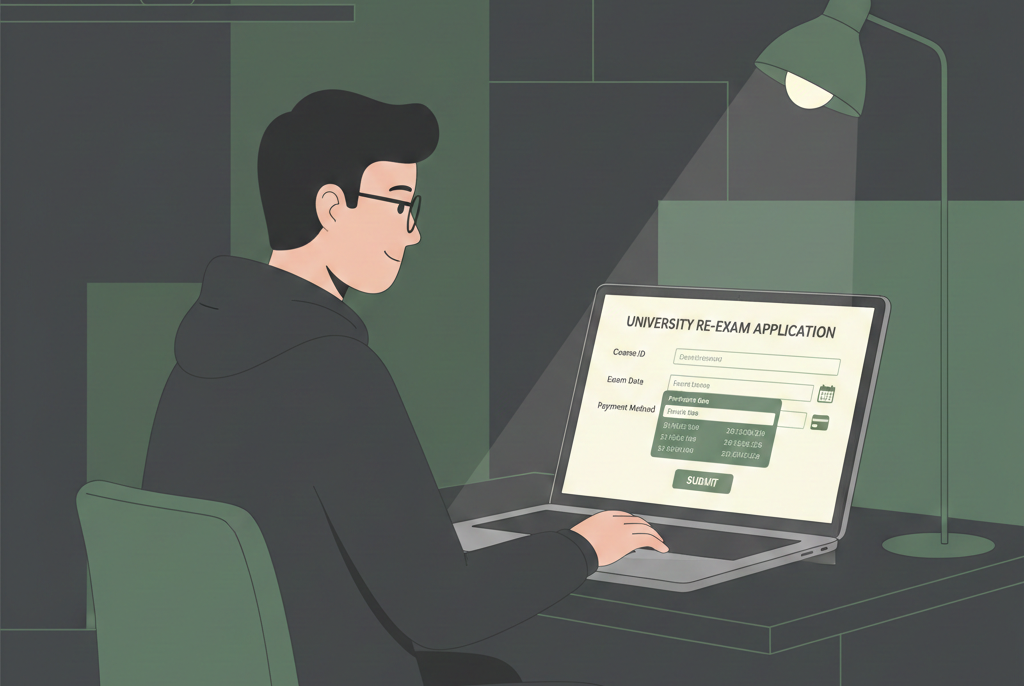
A “re-appear” means you are eligible to sit for an exam again to clear a backlog. At MDU, this process is strictly digital. Gone are the days of standing in long queues at the university secretariat. Everything from registration to downloading your admit card happens through the MDU Student Portal.
Before you begin, ensure you have your Registration Number and Student ID handy. These are the “keys” to your academic record at MDU.
Latest News Updates
Staying updated is crucial because MDU often extends deadlines or changes fee slabs based on how close the exam dates are. As of February 12, 2026, here are the most recent updates regarding the reappear forms:
- Current Status: The portal is currently active for various UG and PG courses for the upcoming semester examinations.
- Notification on Date Extensions: A recent press note dated February 10, 2026, confirmed that the university has streamlined the portal for students appearing in the February-March 2026 cycle.
- Late Fee Slab: For most courses, the window to apply without a late fee for the next cycle is typically open until approximately 30 days before the commencement of exams. For the current session, late fees of ₹970 and ₹1940 are applicable if you miss the initial deadlines.
- Distance Education (CDOE): Students under the Centre for Distance and Online Education (CDOE) have seen a recent update on February 9, 2026, regarding the release of admit cards and final form submissions for specific MA and M.Com reappear batches.
MDU Re-appear Form 2026: Key Dates and Fees
Timelines are the most important part of the reappear process. If you miss the “Without Late Fee” window, the cost of the form can double or even triple.
The following table provides an overview of the typical fee structure and expected deadlines for the 2026 sessions. Please note that these dates can vary slightly depending on whether you are a regular student, a distance learner, or an engineering student.
| Event/Category | Tentative Last Date | Fee Amount (Approx.) |
| Submission Without Late Fee | 15th – 20th Feb 2026 (Variable) | ₹700 – ₹1000 |
| Submission With ₹970 Late Fee | Within 7 days after the first deadline | Normal Fee + ₹970 |
| Submission With ₹1940 Late Fee | Up to 1 week before Exams | Normal Fee + ₹1940 |
| Engineering (B.Tech/M.Tech) Re-appear | Check Semester Schedule | ₹1000 – ₹1200 |
| Distance Education (CDOE) Re-appear | As per CDOE Calendar | ₹800 – ₹1000 |
Pro Tip: Always try to fill your form in the first week of the notification. The server often gets slow or “hangs” on the very last day due to high traffic from thousands of students.
Step-by-Step Guide to Fill MDU Re-appear Form Online
If you are doing this for the first time, don’t worry. The process is quite logical. Follow these steps to ensure you don’t make a mistake:
- Visit the Official Portal: Go to the MDU student portal website. Look for the link that says “Online Reappear Form” or “Student Portal Login.” https://student.mdu.ac.in/index
- Login: Enter your Registration Number and the password you created. If you have forgotten your password, use the “Forgot Password” link to reset it via your registered mobile number or email.
- Update Profile: Before the form appears, the system might ask you to verify your mobile number, email, and Aadhaar details. Ensure these are correct.
- Select Exam/Semester: Navigate to the “Examination” or “Apply for Reappear” tab. You will see a list of subjects where you have a backlog. Select the specific semester and subjects you wish to appear for.
- Review the Form: The portal will automatically calculate the fee based on the number of subjects and the current date (checking for late fees).
- Submit and Pay: Once you click submit, you will be redirected to the Online Payment Gateway.
The Online Payment Process: A Detailed Look
The Online Payment Process is where most students feel nervous. A failed transaction can be stressful. Here is how to handle it like a pro:
- Payment Methods: MDU accepts Debit Cards, Credit Cards, Net Banking, and UPI (Google Pay, PhonePe, etc.).
- The Process: After clicking ‘Pay Now’, choose your preferred method. If using UPI, you will enter your VPA or scan a QR code. If using a card, ensure you have the OTP-linked phone nearby.
- The “Wait” Rule: After completing the transaction, do not press the back button or refresh the page. Wait for the bank’s page to redirect you back to the MDU portal.
- Payment Receipt: Once successful, the status will change to “Paid.” Download the PDF of the payment receipt immediately. This is your only proof of payment.
What if the Payment Fails?
It happens to the best of us. If money is deducted from your bank account but the MDU portal still shows “Unpaid”:
- Wait for 48 Hours: Often, the system reconciles payments automatically within two business days.
- Check Transaction Status: There is usually a “Check Fee Status” or “Re-verify Payment” button on the portal. Click it.
- Email the University: If the status doesn’t change after 48 hours, send an email to the MDU fee cell (usually
feeissue@mdurohtak.ac.in) with your Student ID, Transaction ID, and a screenshot of the bank debit message.
Common Mistakes to Avoid
Based on my experience helping friends and juniors, here are the pitfalls you should avoid:
- Wrong Subject Selection: Ensure you are selecting the correct subject code. Sometimes subjects have similar names but different codes for different batches.
- Ignoring the Eligibility: If the portal says “Not Eligible,” you might need to visit the Result Branch at the University Secretariat (Pariksha Sadan) in Rohtak to clear any discrepancies in your previous results.
- Waiting for the Last Minute: The portal often undergoes maintenance during late-night hours on the final day.
- Multiple Transactions: If one payment fails, don’t immediately try a second one. Wait a few hours to see if the first one clears.
Importance of the Re-appear Form
Filling the MDU Re-appear Form 2026 is not just about paying a fee; it’s about taking another shot at your career goals. Whether you’re aiming for a government job or higher studies, having “cleared” marksheet is essential. Taking it seriously and ensuring the form is filled correctly is the first step toward clearing that exam.
Checklist for Students:
- [ ] Active Internet Connection (Prefer a Laptop/PC over a Mobile).
- [ ] Valid Student ID and Password.
- [ ] Scanned copy of previous marksheet (for reference).
- [ ] Digital payment mode ready with sufficient balance.
- [ ] PDF reader installed to save the final receipt and form.
Final Thoughts
The process for the MDU Re-appear Form 2026 is designed to be user-friendly, but it requires your attention to detail. By following the online payment process carefully and keeping an eye on the last date, you can avoid unnecessary stress and late fees.
Stay focused on your preparation, and don’t let the technicalities of the form slow you down. Rohtak’s Maharshi Dayanand University provides ample support through its helpdesk, so never hesitate to reach out if you get stuck. Good luck with your exams!